
Let me ask you something. How many times today have you opened a new tab to complete one small task? You may need to count the words in an email. You may want a strong password for a new account. Or you may have been comparing software prices and needed to calculate the real cost per user.
Each of these tasks is simple. But finding the right tool for each one? That is where the friction starts. You end up with five different websites, three cookie banners, two sign-up forms, and at least one pop-up ad asking you to download something you do not need.
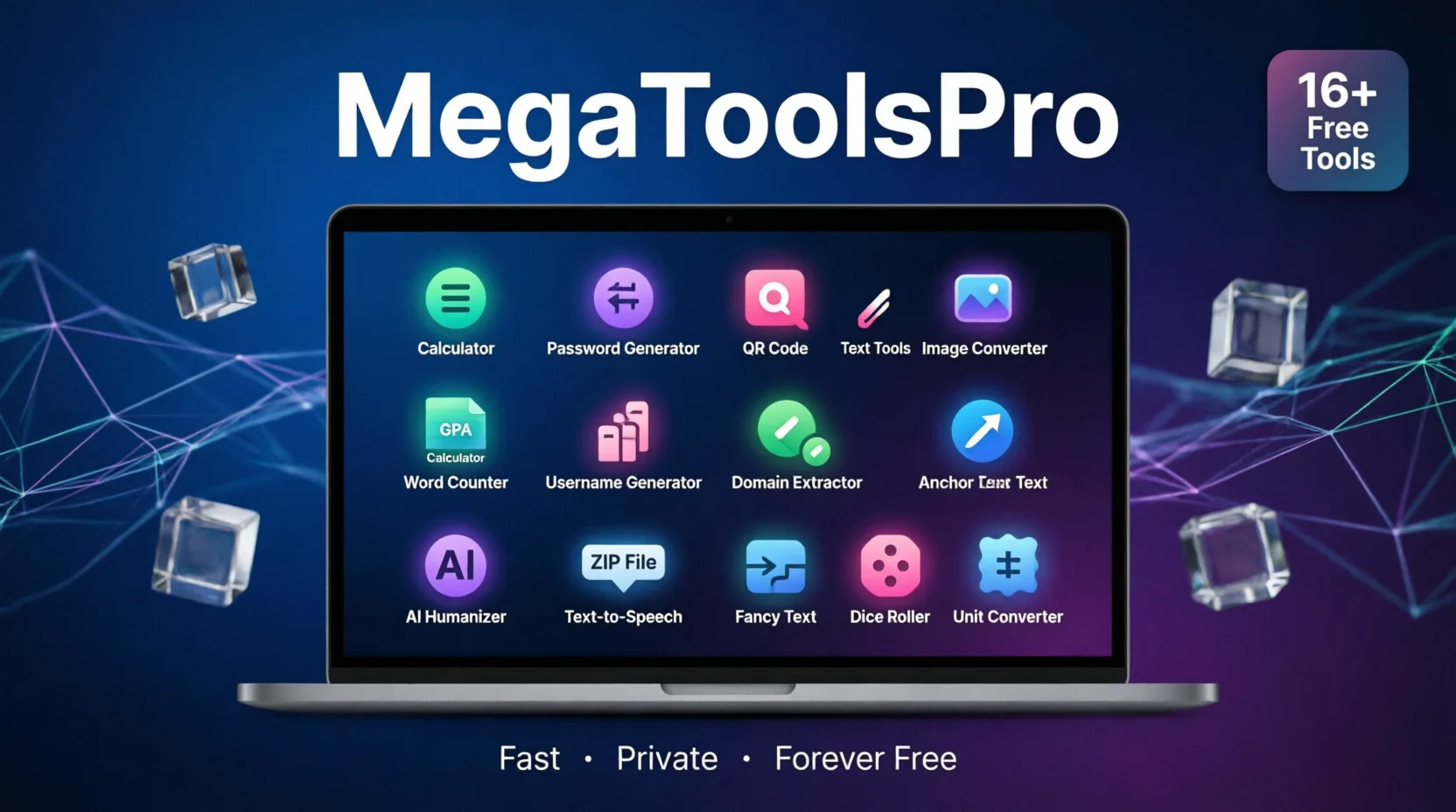
There is a better way. MegaToolsPro brings 16+ practical online tools into one fast, clean website. It runs entirely in your browser. You do not need to create an account. You do not need to install anything. You pick the tool you need, enter your information, and get your result in seconds.
This is not just another collection of widgets. MegaToolsPro is built like a proper SaaS product — lightweight, reliable, and designed for people who actually work. Whether you are a student, a freelancer, a marketer, a developer, or someone who needs to get things done, this platform was made for you.
In this article, I will walk you through every tool on MegaToolsPro. I will explain what each one does, why it matters, and how real people use it in their daily workflows. By the end, you will know exactly which tools deserve a spot in your bookmarks.
The Real Problem With Scattered Online Tools
Most of us do not think about how much time we waste switching between websites. It feels harmless. You need a QR code, so you search for a QR code generator. You find one, but it has a watermark unless you pay. You try another, but it forces you to sign up. By the time you get your QR code, ten minutes have passed.
Now multiply that by every small task you do in a week. Password generation. Image conversion. Word counting. GPA calculation. Domain extraction. The minutes add up to hours. The hours add up to real lost productivity.
For SaaS teams and online professionals, this problem is even bigger. Your content team needs a word counter. Your SEO team needs anchor text variations. Your marketing team needs QR codes for a campaign. Your developers need secure passwords for testing. If everyone uses a different random website, you have no consistency, no privacy guarantees, and no way to know whether the tool is even accurate.
Here is the simple truth. When your tools are scattered, your workflow breaks. You lose focus. You get distracted. And you often sacrifice quality to save a few clicks.
A single, trusted platform solves all of this. One address. One experience. One privacy policy you can actually read.
What Is MegaToolsPro?
MegaToolsPro is a free, browser-based SaaS platform that hosts a growing collection of online utilities. The idea behind it is straightforward. Take the small, repetitive tasks that people do every day, and give them a home that is fast, private, and genuinely easy to use.
The platform currently offers more than 16 tools across four main categories. You will find calculators for math and finance. Generators for passwords, usernames, proposals, and creative text. Converters for images, audio, and file formats. And specialized utilities for SEO, content creation, and everyday productivity.
What makes MegaToolsPro different from the thousands of single-purpose tool sites out there? Three things stand out.
First, speed. Every tool runs directly in your browser or on lightweight backend servers—no heavy software to download, no bloated interface to load, and no waiting around for results.
Second, privacy. Your inputs are processed and then discarded. MegaToolsPro does not store your files, your text, or your personal data longer than necessary. For anyone working with sensitive information — like passwords, client proposals, or proprietary content — this matters.
Third, the price. The entire platform is free to use. No hidden paywalls, no premium tiers that lock basic features, and no sign-up walls blocking access. This is rare in a world where every other SaaS product wants your email address before you can do anything.
Visit the platform now at megatoolspro.com and start using any tool immediately.
Every Tool on MegaToolsPro, Explained
Now let us get into the details. Below is a complete breakdown of every tool available on the platform. I have grouped them by how people actually use them, not by abstract categories. This should make it easy to find the ones that fit your workflow.
Smart Calculators for Quick, Accurate Answers
Sometimes you need a number. Not a spreadsheet. Not a complex formula. Just a clean answer. MegaToolsPro offers three calculators that handle the most common number-crunching tasks.
Age Calculator. This tool does exactly what you expect. You enter a birth date, and it tells you the exact age in years, months, and days. It sounds simple, but accuracy matters. I have seen people mess up age calculations on official forms, visa applications, and school records because they did the math wrong in their head. The Age Calculator removes that risk entirely. It is also useful for verifying dates of birth in databases or planning age-restricted content and events.
GPA Calculator. If you are a student, an academic advisor, or a parent helping with school applications, you know how stressful GPA math can be. Different schools use different scales. Some use 4.0. Others use 5.0 or percentage systems. The GPA Calculator on MegaToolsPro handles the conversion cleanly. You enter your grades and credit hours, and the tool gives you an accurate GPA. No more guessing, no more manual spreadsheet formulas. This is especially helpful during application season when you need to report your GPA quickly and correctly.
Unit Price Calculator. Here is a tool that sounds boring but saves real money. Imagine you are comparing two software plans. Plan A costs $49 per month for five users. Plan B costs $89 per month for ten users. Which one is cheaper per user? The Unit Price Calculator answers that in one second. It works for groceries, bulk supplies, SaaS subscriptions, and anything else where you need to compare cost per unit. For freelancers and small business owners who watch every dollar, this tool is genuinely valuable.
Generators That Do the Creative Work for You
Creating things from scratch takes time. These generators speed up the process without cutting corners on quality.
Password Generator. Weak passwords are still one of the biggest security risks online. The NIST Digital Identity Guidelines recommend using long, random passwords rather than complex but short ones. MegaToolsPro’s Password Generator follows this logic. You can set the length, choose whether to include symbols and numbers, and generate a secure password instantly. For SaaS teams managing multiple accounts, test environments, and client logins, this tool is essential. You get strong, unique passwords without reusing the same one across platforms.
Username Generator. Finding a good username is harder than it looks. Every name you want is already taken. This generator creates unique username ideas based on your preferences. It is perfect for social media accounts, gaming profiles, brand handles, or any platform where you need a memorable, available name. Instead of spending twenty minutes trying variations of your real name, you get creative suggestions in seconds.
QR Code Generator. QR codes are everywhere now. Restaurants use them for menus. Events use them for tickets. Marketers use them on product packaging and print ads. The QR code standard has become a universal language for connecting physical objects to digital content. MegaToolsPro’s QR Code Generator lets you create clean, scannable codes for URLs, text, contact information, or WiFi credentials. You download the image and use it immediately. No design skills needed.
Fancy Text Generator. Sometimes standard fonts feel too plain. You may be writing a social media bio, a Discord server description, or a creative landing-page header. The Fancy Text Generator converts your normal text into stylized Unicode characters that work across most platforms. It is a small touch, but it helps your content stand out without requiring any graphic design work.
Anchor Text Generator. If you do any SEO work, you know that anchor text variety matters. Google penalizes sites that use the same anchor text for every backlink. But coming up with natural variations is tedious. This generator creates diverse anchor text suggestions for any keyword or URL. It helps you build a healthier, more natural-looking backlink profile. For SaaS companies doing outreach and link building, this tool saves hours of manual brainstorming.
Freelancer Proposal Generator. Writing proposals is one of the most time-consuming parts of freelancing. You want to sound professional, but you also need to send the proposal quickly before another freelancer gets the job. This generator creates structured, polished proposal templates based on your project details. You fill in a few fields, and the tool produces a complete proposal you can customize and send. Platforms like Upwork emphasize strong proposals, and this tool gives you a solid starting point every time.
Converters and Utilities for Everyday File Work
Files and formats cause more headaches than they should. These tools remove the friction.
Image Converter. Different platforms need different image formats. Instagram prefers JPG. Websites need WebP for speed. Print materials need PNG for quality. Instead of opening heavy software to change a file format, you can use the Image Converter. Upload your image, pick the output format, and download the converted file. It is fast, simple, and works on mobile devices too. For SaaS marketing teams who constantly resize and reformat images for blogs, ads, and social posts, this is a massive time-saver.
Text-to-Speech. Accessibility is not optional anymore. The Web Content Accessibility Guidelines recommend offering content in multiple formats so people with different abilities can access it. The Text-to-Speech tool converts written content into natural-sounding audio. You can use it to create voiceovers for videos, audio versions of blog posts, or accessibility alternatives for visually impaired users. Content creators and SaaS companies building inclusive products will find this especially useful.
Word Counter. Every writer needs this. Whether you are drafting a tweet, an essay, a meta description, or a long-form blog post, you need to know your word and character count. The Word Counter on MegaToolsPro gives you instant numbers. It also helps with platform-specific limits. Twitter has character limits. Google Ads has headline limits. SEO meta descriptions have ideal length ranges. This tool keeps you within those boundaries without any guesswork.
ZIP File Creator & Extractor. Compressing files for email or extracting a downloaded archive should not require installing heavy software or hunting for sketchy online extractors. This tool handles both creation and extraction in your browser. You can zip multiple files into one clean package, or unzip an existing archive to access its contents. It is perfect for sending project files to clients, sharing document bundles, or organizing downloads. No software installation, no compatibility issues.
Content and SEO Tools for Creators and Marketers
Building an online presence requires more than good ideas. You need the right tools to research, optimize, and publish content that people actually find.
YouTube Tags Extractor. YouTube is the world’s second-largest search engine. If you want your videos to rank, you need the right tags. But guessing which tags work wastes time. This tool extracts the tags from any public YouTube video. You can see exactly what successful creators in your niche are using. The YouTube Creator Academy teaches that metadata like tags, titles, and descriptions directly impact discoverability. With this extractor, you turn competitor research into a two-minute task instead of a two-hour project.
Domain Name Extractor. If you do link building, outreach, or competitive analysis, you work with a lot of URLs. But often you need the clean domain name. Maybe you are building a prospect list. You may be filtering a backlink report. This tool strips away the extra path information and gives you just the domain. For SEO professionals and SaaS marketers managing large outreach campaigns, this turns messy spreadsheets into clean, actionable data.
AI Humanizer Pro. AI writing tools are everywhere now. They help you scale content production, which is great. But the output often sounds robotic, repetitive, or overly formal. AI Humanizer Pro takes that machine-generated text and rewrites it to sound like a real person wrote it. The sentences flow better. The tone feels natural. The vocabulary matches how people actually speak. For SaaS companies publishing blog posts, help documentation, and marketing copy at scale, this tool is a game-changer. It lets you keep AI speed without sacrificing the human touch your readers expect.
Fun Tools for Games and Decisions
Not every tool needs to be about work. Sometimes you want to roll a die.
Dice Roller. This is a clean, digital replacement for physical dice. Use it for board games, role-playing games, classroom activities, or even making random decisions. Need to pick a winner for a giveaway? Roll the dice. Need to settle an argument? Roll the dice. The interface is simple, the results are truly random, and it works on any phone or computer. It is a small tool, but it does its one job perfectly.
Why MegaToolsPro Feels Different From Other Tool Sites
Online utilities are everywhere. A quick search for “word counter” returns hundreds of results. So why should you bookmark MegaToolsPro instead of using ten different sites?
The answer comes down to three things that matter for anyone who works online.
Speed that keeps up with you. MegaToolsPro is built like a modern SaaS application. The interface is lightweight. The tools respond instantly—no bloat, no heavy animations, and no unnecessary loading screens. When you need a password or a word count, you need it now. Not in five seconds. Not after watching an ad. Now.
Privacy you can trust. Many free tool sites make money by selling your data or showing invasive ads. MegaToolsPro takes a different approach. Your files and inputs are processed and then discarded. The platform does not build a profile on you. It does not ask for your email. It does not track your behavior across the web. For professionals handling client data, proprietary content, or personal information, this privacy model is not a nice-to-have. It is essential.
A genuinely free experience. The word “free” has lost meaning on the internet. Most “free” tools hit you with a paywall at the worst possible moment. You upload your file, you click convert, and then a pop-up tells you to pay to download. MegaToolsPro does not do this. The tools are free to use from start to finish. No credit card required. No premium tier hiding the features you actually need.
These three principles — speed, privacy, and honest pricing — are what separate a useful platform from a frustrating one.
How Different People Use MegaToolsPro in Real Workflows
The best way to understand a platform is to see how real people use it. Here are a few examples from different professions.
Marketing teams use the Word Counter for ad copy, the AI Humanizer Pro for blog drafts, the Anchor Text Generator for link building campaigns, and the QR Code Generator for print materials. Instead of jumping between four different websites, they do everything on one platform.
Content creators rely on the YouTube Tags Extractor for video research, the Fancy Text Generator for social media bios, and the Text-to-Speech tool for creating audio versions of their content. The Image Converter helps them resize thumbnails and social graphics without opening heavy design software.
Developers and IT professionals use the Password Generator to create secure credentials, the Domain Name Extractor to parse URL lists, and the ZIP File Creator to bundle project files. The Age Calculator even comes in handy for validating date inputs in test data.
Freelancers get the most value. The Freelancer Proposal Generator wins them clients. The Unit Price Calculator helps them quote accurately. The Word Counter keeps their deliverables within scope. And the Username Generator helps them brand their professional profiles consistently.
Students use the GPA Calculator during application season, the Word Counter for essays, and the Age Calculator for form verification. The Text-to-Speech tool even helps with studying by converting notes into audio they can listen to while commuting.
These are not hypothetical use cases. These are the actual workflows that the tools on MegaToolsPro were built to support.
Getting Started Takes Less Than a Minute
One of the best things about MegaToolsPro is that there is no learning curve. The platform works the same way for every tool.
Step one: choose your tool. You can browse by category or use the search bar to find exactly what you need.
Step two: enter your input. This might mean pasting text, uploading a file, or typing in a few values. The interface tells you exactly what it needs.
Step three: get your result. Copy it, download it, or use it immediately. No waiting, no watermark, and no “upgrade to pro” button blocking your output.
That is it: three steps, every time. Whether you are generating a password at 2 AM or converting an image during a client meeting, the process is identical. This consistency matters when you are working fast and cannot afford to figure out a new interface for every task.
Visit megatoolspro.com and try it yourself. Pick one tool that solves a problem you had this week. You will likely end up using three more by the end of the day.
The Bottom Line
MegaToolsPro is not trying to be the most complex software platform on the internet. It is trying to be the most useful one for the small tasks that eat up your day.
Every tool on the platform solves a real problem. The calculators give you accurate numbers. The generators save you creative time. The converters handle file formats without software. The SEO and content tools help you work smarter, not harder. And everything runs fast, stays private, and costs nothing.
If you are tired of bookmarking random websites, closing pop-up ads, and wondering where your data went, MegaToolsPro is the alternative you have been looking for. One site. Sixteen tools. Zero friction.
Head over to megatoolspro.com and see which tools fit your workflow. Chances are, you will find more than one.


Great your all tools
Very usefull